Pok Pok | Montessori Preschool
- 4.7
- Rating
- 100.00K
- Installs
- Free
- Price

 Analysis by App-foxy
Choosing a learning app for a young child is less about finding the most colorful screen and more about finding something that fits real family life. I looked at Pok Pok | Montessori Preschool with that in mind: how it feels during a short quiet moment, whether it works when a connection is unreliable, how much help a child needs, and whether the experience encourages curiosity instead of simply keeping little fingers busy. My overall impression is that it is a calm education app from Pok Pok for children from two to eight, with a thoughtful approach that will suit some homes much better than a louder, reward-heavy alternative.
The app is free to download, with in-app purchases ranging from $3.99 to $89.99 per item. That makes the first step easy, but it also means parents should treat the free entry point as a chance to inspect the experience rather than assuming the whole library is permanently available without payment. It carries an Everyone age rating, has passed the 100K+ installs mark, and holds a 4.7 average from around 7K ratings. Those figures suggest a well-received product, but they do not replace the more important question: does its style match your child?
What I considered before recommending it
My first decision criterion was the kind of attention the app asks for. Many children’s apps rely on constant animation, quick rewards, spoken instructions, or a sequence of tiny tasks. Pok Pok feels better suited to open-ended exploration. That distinction matters if you want a child to spend a few minutes investigating shapes, sounds, movement, or everyday ideas without being pushed from one challenge to the next.
You May Also Like

 Blood Strike: 2.5 Anniversary
Blood Strike’s Loadouts Turn Every Drop Into a Tactical Gamble
A close look at Blood Strike’s custom loadouts: how fast access to signature weapons reshapes its battle royale rhythm, rewards preparation, and narrows the gap between fights.

 Pandora - Music & Podcasts
Pandora’s Music Is Easy to Start, but Harder to Recover
Pandora’s strength is its low-effort path from a seed to a station. Its weak spot is how much confidence it asks you to place in connection, setup, and quiet recovery.

 8 Ball Pool
 Is Built on Rivalries, Rematches, and Routine
A close look at the rivalries, rematches, shared routines, and unanswered safety questions that turn a quick pool match into a persistent mobile community.

 Samsung Music
’s Quiet Strength Is Playing What You Already Own
Its reach comes less from spectacle than from dependable access to a personal library. That simplicity is both the app’s strongest retention engine and its ceiling.

 AccuWeather: Weather Radar
AccuWeather Review: A Quick, Clear Forecast for Everyday Decisions
For everyday plans, the best forecast is the one you can understand quickly. AccuWeather makes rain timing, radar, and local conditions easy to act on, with a few trade-offs.

 Hill Climb Racing
Why Hill Climb Racing Still Turns Crashes Into One More Run
A tiny car, a bumpy hill and one more upgrade: Hill Climb Racing keeps resurfacing because its simple chaos makes every near-miss feel personal.
More From Our News Desk



I also considered the age range carefully. A two-year-old and an eight-year-old can both use an app labeled for them, but they will not use it in the same way. Younger children may need an adult nearby to demonstrate how to explore, while older children may look for more obvious goals or increasing difficulty. The broad age span is useful for families with siblings, yet it also means the experience will not feel equally deep for every child at every stage.
Offline access is another practical factor. The app is designed to work without Wi-Fi, which makes it especially useful for travel, waiting rooms, and places where handing over a connected device would be inconvenient. I would still prepare it at home before leaving, because offline-friendly does not automatically mean every first-time setup step can be done anywhere. Once the child knows where to tap and how to move around, the lack of a connection becomes a genuine advantage rather than a minor selling point.
Finally, I looked at the role of the adult. This is not the sort of tool I would choose if my only goal were to keep a child occupied while I remain completely uninvolved. It can support independent play, but the best moments come when a parent watches, asks a simple question, or connects what appears on screen with something in the room. That makes it more valuable as a shared learning prompt than as a digital babysitter.
A calmer alternative to reward-driven children’s apps
Where this product wins is its tone. The experience is less frantic than the usual collection of children’s games, and that changes how I would use it at home. Instead of encouraging a child to chase a score or rush through a level, it leaves room for looking, trying, and repeating. For a child who becomes overstimulated by busy menus, loud effects, or constant celebrations, that restraint can be the feature that makes the app usable.
I found the open-ended format particularly helpful for starting conversations. Rather than asking, “Did you win?” I could ask, “What do you notice?” or “What happens if you try that another way?” Those questions work with a toddler who is discovering cause and effect, but they can also give an older preschooler a chance to explain a choice. The app therefore has a useful second layer: the screen provides an invitation, while the adult supplies language and context.
The strongest reason to choose it is the low-pressure way it turns screen time into exploration. That does not mean every child will instantly understand it. Some children expect clear instructions and may initially decide that nothing is happening. I would sit with them for the first session, model curiosity rather than completing everything for them, and then step back. That small introduction can make the difference between a child feeling lost and a child discovering that the app rewards patience.
Another advantage is how well it can fill awkward gaps in a day. Imagine a family waiting for a delayed train. A parent can open the app without searching for a network, offer a child a short activity, and remain available for conversation. The child is not forced into a competitive game, and the parent does not need to carry books, puzzles, and several toys for every possible mood. I would use it in short stretches, not as a long automatic session, because the app works best when it remains one part of a varied day.
Three practical ways to get more from it
My first tip is to use it as a transition tool instead of a reward. Opening it before leaving the house, during a calm-down period, or while waiting can create a predictable routine without teaching the child that every good behavior must be paid for with screen time. This is a more thoughtful use than simply handing over the device whenever boredom appears.
Second, let the child lead, but keep a small mental note of what attracts them. If a child repeatedly returns to a certain type of interaction, that interest can guide an offline activity afterward. You might continue with blocks, drawing, sorting household objects, or pretending with toys. The useful workflow is not “screen, then stop”; it is “screen, notice an interest, then carry it into the physical world.”
Third, change the adult’s questions rather than trying to extend the session. Asking for a prediction before a child taps, or asking them to describe what changed afterward, adds learning without turning the experience into a quiz. This is especially helpful for older children, who may outgrow simple tapping but still benefit from explaining patterns and decisions. In my view, that conversational layer is easy to miss if a parent evaluates the app only by watching the child use it alone.
I would also create a clear stopping habit. Because the experience is designed to be gentle rather than aggressively attention-grabbing, it may be easier to end than some alternatives, but a child can still resist leaving a preferred activity. A short warning, followed by a consistent next step such as snack, bath, or a physical game, keeps the app from becoming the center of the routine. The best design cannot replace a family’s boundaries.
Where a different category may fit better
Pok Pok is not the right choice for every learning goal. If you want a structured early-reading course, a phonics sequence, handwriting practice, or direct number drills, a curriculum-focused app may be a better match. Those products usually make progress more visible and provide a clearer path from one skill to the next. I would choose that category when a teacher has identified a specific area that needs repeated practice.
It may also disappoint children who love competition, collecting rewards, or completing levels. A game-like alternative can be more motivating for a child who needs an obvious target and immediate feedback. That does not make Pok Pok inferior; it means the two approaches serve different temperaments. I would not try to persuade a child who thrives on goals that a quiet exploratory app must become their favorite.
Families looking for a video library should also compare carefully. Video apps can be better when a child wants a story, song, demonstration, or familiar character and is not interested in manipulating an environment. Pok Pok makes more sense when the child should interact and make discoveries rather than sit back and watch. For shared use, books, blocks, art materials, and real-world play remain stronger in many situations because they offer tactile experiences that no tablet can reproduce.
There is a further trade-off in the wide two-to-eight age range. It is convenient to have one app available for children at different stages, but an eight-year-old seeking substantial academic challenge may find it too gentle. Conversely, a two-year-old may need more adult guidance than the store summary implies. I would judge the fit by developmental style, not just the number attached to the age recommendation.
Understanding the payment decision
The free price makes trying the app less intimidating, but parents should look closely at the purchase screen and decide in advance what they are comfortable spending. Individual in-app items are listed between $3.99 and $89.99, a wide range that can feel very different depending on whether you want a small addition or broader access. I would not hand the device to a child at the purchase stage. An adult should review the options, consider how often the app will realistically be used, and make the decision away from a hurried moment.
This is also where the cost of switching matters. If your child already enjoys a familiar app with clear lessons, moving to a more open-ended experience may require a short adjustment period. You may need to sit beside them, explain that there is no single correct path, and accept that the first session looks quieter than what they are used to. That time is not a financial charge, but it is a real household cost. The switch is worthwhile when your priority is calmer exploration; it is less worthwhile when you need immediate, measurable practice.
On the other hand, the offline design can reduce a different kind of friction. You do not have to plan every use around a reliable connection, which is valuable for travel and shared devices. I would download and test the app before a trip, check that the child can navigate comfortably, and avoid making the first introduction in a crowded airport or moving car. Preparation turns an appealing feature into something dependable.
The current version is 49.4.0, and the app was released on October 16, 2024. I mention those details because they help identify the product when you are checking compatibility or comparing the version installed on a family device. The minimum operating system is 8.1, so owners of older hardware should confirm that the device can run it before planning around the app. These are small checks, but they prevent the frustrating experience of discovering a problem when a child is already expecting to play.
Who I would recommend it to
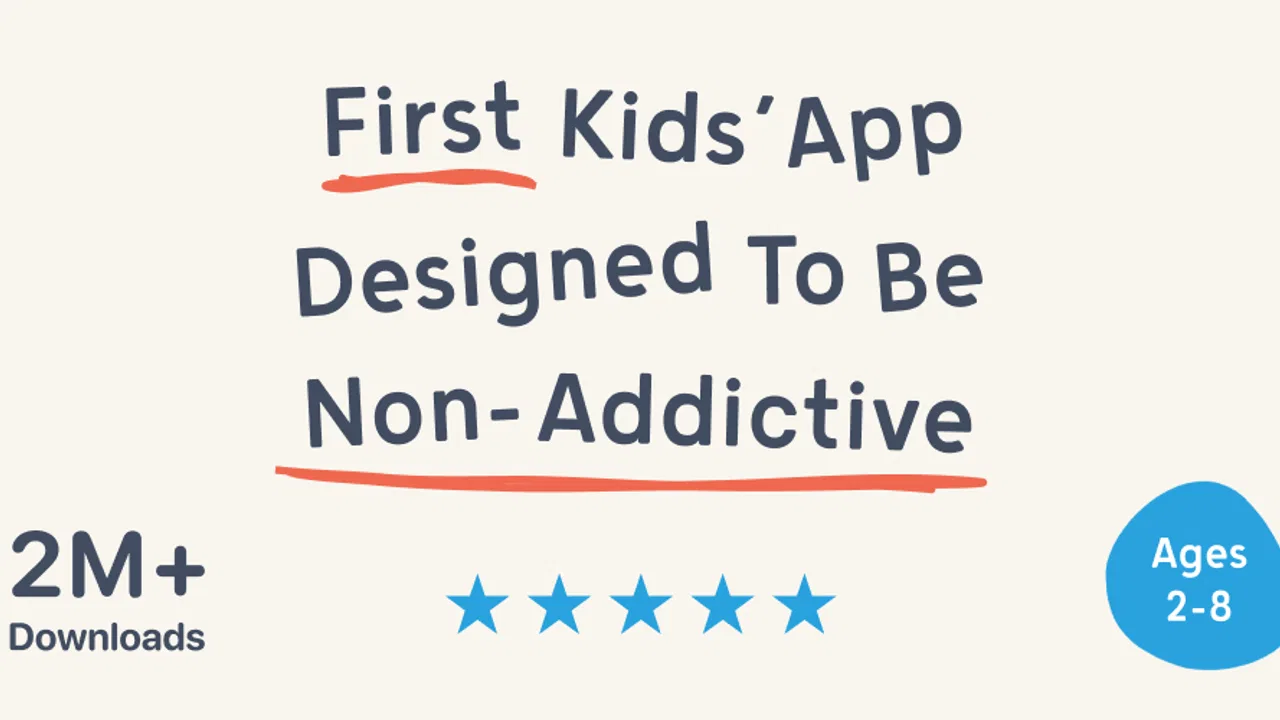
I would recommend Pok Pok to parents who want non-addictive learning games for children that feel more like a digital play space than a test. It is a particularly good candidate for families who travel, households with more than one young child, and adults who prefer to talk with children about what they are doing rather than monitor a stream of scores. The Everyone rating also makes it broadly approachable, although an adult should still make the final judgment for an individual child.
I would be more cautious if your child needs a tightly sequenced lesson plan or if you are buying one app specifically to address reading, mathematics, or writing practice. In those cases, a specialist educational tool may offer clearer progression. I would also skip it if your main requirement is passive entertainment, because its value depends on the child exploring and, ideally, occasionally connecting that exploration to conversation or hands-on play.
For parents wondering whether it works for independent use, my answer is “sometimes.” A confident child can explore without constant help, especially after an adult has demonstrated the basic approach. A very young child may wander without understanding what to do, and an older child may need a reason to return. I would plan for a brief introduction, then test whether the child can choose and stop appropriately before treating it as a reliable solo activity.
For travel, I would give it a strong practical recommendation. The no-Wi-Fi design is useful on planes, in holiday accommodation, and during long waits. Still, I would pack it alongside offline alternatives rather than relying on one screen. A small book, drawing materials, or a simple toy can give the child a break when the tablet stops being helpful. That combination respects the app’s strengths without asking it to solve every travel problem.
My final decision
After weighing the alternatives, I see Pok Pok as a deliberately calm option in a category that often rewards noise and speed. Its best qualities are not a long list of academic claims; they are the way it invites children to explore, the usefulness of offline play, and the opportunities it creates for an adult to turn a digital moment into a real conversation. Those strengths are meaningful in everyday family situations, especially when a child is easily overwhelmed by conventional game design.
Its limitations are equally clear. Open-ended play can feel vague to children who want instructions, the broad age range means the fit changes considerably with development, and the in-app purchase range deserves careful adult attention. It is not a replacement for tactile play, books, or a focused literacy and numeracy program. I would also avoid presenting it as a guaranteed independent activity for every young child.
My recommendation is to try the free version with a specific purpose: a short travel activity, a calm transition, or a shared exploration session. Watch how your child responds after the novelty fades. If they make choices, return to interesting interactions, and enjoy talking about what they notice, the app is probably a good fit. If they keep asking for levels, scores, or direct lessons, choose a more structured alternative instead.
For my own shortlist, I would keep it as a low-pressure companion rather than the only educational app in the house. Used that way, Pok Pok | Montessori Preschool earns its place: not because it replaces everything else, but because it offers a quieter kind of screen time that can sit naturally beside play, conversation, and everyday discovery.
FAQs for Pok Pok | Montessori Preschool
01What is Pok Pok | Montessori Preschool?
Pok Pok is a calm, open-ended digital playroom designed for young children, generally in the preschool age range. Instead of traditional levels, scores, advertisements, or competitive rewards, it offers interactive activities inspired by Montessori principles. Children can explore drawing, building, music, storytelling, nature, and everyday concepts at their own pace, making it more suitable for creative, independent play than fast-paced gaming.
02What age group is Pok Pok suitable for?
Pok Pok is primarily designed for preschool-aged children, although the ideal experience depends on each child’s development, interests, and ability to use a touchscreen independently. Younger children may need an adult nearby to introduce the activities, while older preschoolers can often explore more confidently. Parents should review the current age recommendation and available features on the App Store or Google Play before downloading.
03Does Pok Pok require a subscription or include in-app purchases?
Pok Pok is typically offered through a subscription model, and access to the complete playroom may require a paid plan after any available trial period. Pricing, billing frequency, family-sharing eligibility, and trial terms can vary by platform and region. Before confirming a download or trial, parents should carefully check the store listing, renewal conditions, and cancellation instructions to avoid unexpected recurring charges.
04Is Pok Pok safe for children and free from advertisements?
One of Pok Pok’s main advantages is its child-focused design, which aims to provide a quiet experience without conventional advertising, competitive pressure, or distracting reward systems. However, parents should still supervise younger children, configure device-level purchasing and privacy controls, and check the latest app permissions. No digital product replaces parental guidance, especially when a child is using a connected device.
05Can Pok Pok be used offline, and is it available on Android and iOS?
Pok Pok is primarily known as a mobile and tablet app, but supported devices and offline functionality can change as the service is updated. Some content may need to be downloaded or loaded while connected to the internet before it works offline. Families should verify current compatibility, storage requirements, and offline details in the official Google Play or Apple App Store listing for their specific device.
Pros
- Calm
- ad-free environment designed for independent play.
- Activities encourage creativity
- problem-solving
- and fine motor skills.
- No competitive scoring
- timers
- or distracting rewards.
- Works well for short screen-time sessions and quiet travel moments.
- Regular content updates add variety without changing the gentle experience.
Cons
- Requires a paid subscription after the trial period ends.
- Best suited to younger children
- limiting its long-term appeal.
- Some activities may feel too simple for advanced preschoolers.
- Offline access and downloads may be limited for certain content.
- Parents may need to explore activities before choosing suitable ones.

Pok Pok | Montessori Preschool
Gallery